Debugging Backend Services
Debugging backend services is essential for ensuring the smooth functioning of
your application. Agnost offers powerful debugging tools, including a dedicated
Tester accessible for specific services. Additionally, you can leverage
the console for debugging by displaying console.log messages.
Using console.log
In Agnost, you can use console.log statements to log messages, variables, and
data during the execution of your backend code. console.log is a fundamental
debugging tool that allows you to output information to the console. This helps
you understand the flow of your application, identify issues, and inspect
variable values at runtime.
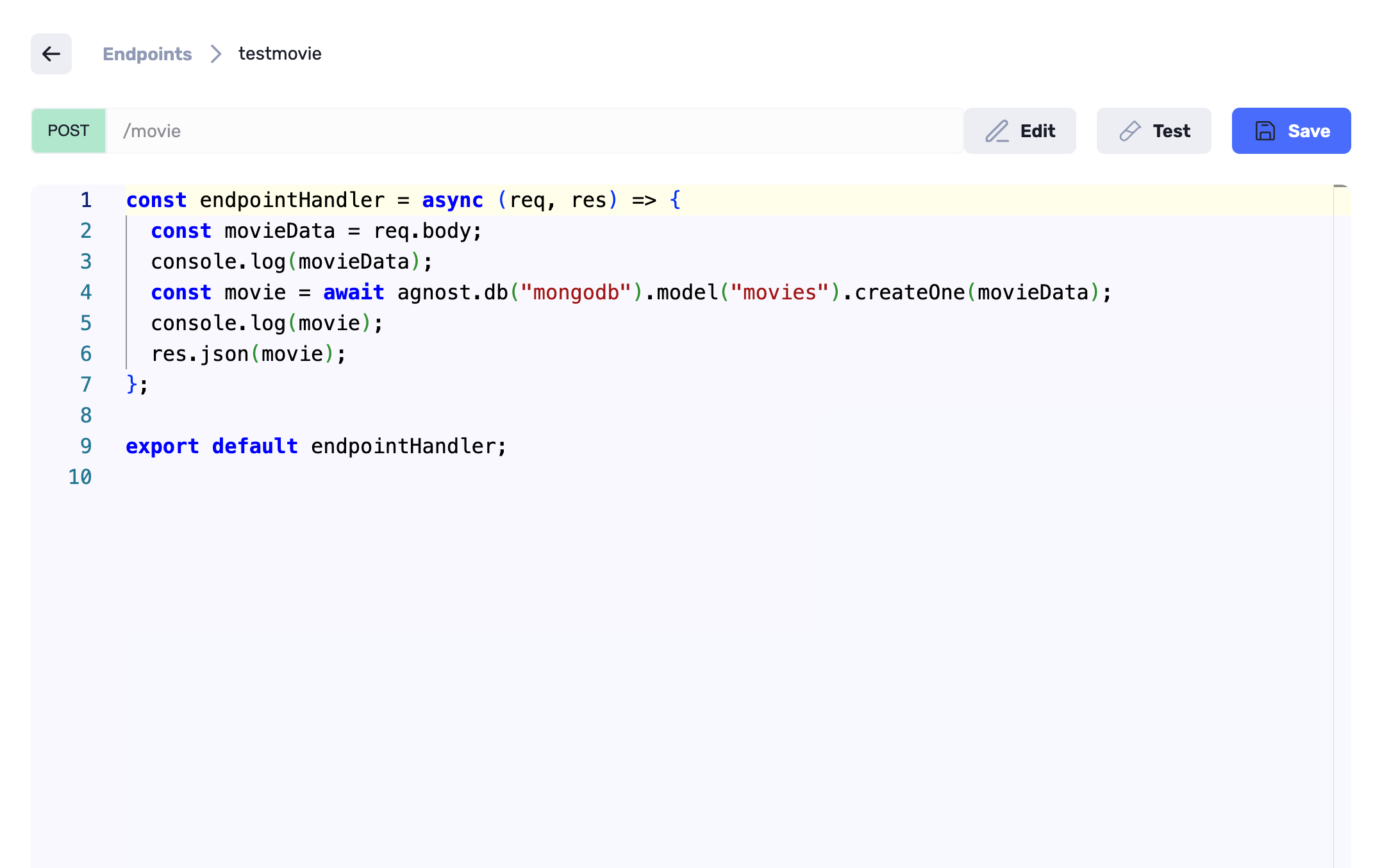
Here's an example of how to use console.log in Agnost:
const endpointHandler = async (req, res) => {
  // Debugging the req.body
  const movieData = req.body
  console.log(movieData)
  const movie = await agnost.db("mongodb").model("movies").createOne(movieData)
  // Debugging the response
  console.log(movie)
  res.json(movie)
}

export default endpointHandler
In this example, console.log is used to log messages and data related to the
request and response.
Using the Tester for Services
To access the Tester for specific service in Agnost:
- Visit the specific service you want to test. You will typically find a
Testbutton at the top right corner or a similar location associated with that specific service.
Click the
Testbutton associated with the service you wish to test.In the Tester section that opens, you can configure the details of the HTTP request, such as query parameters, headers, and request body.
Click the
SendorRunbutton to initiate the request to the selected service.In the same Tester section, you will also find a console section that displays
console.logmessages generated during the execution of the service's code.
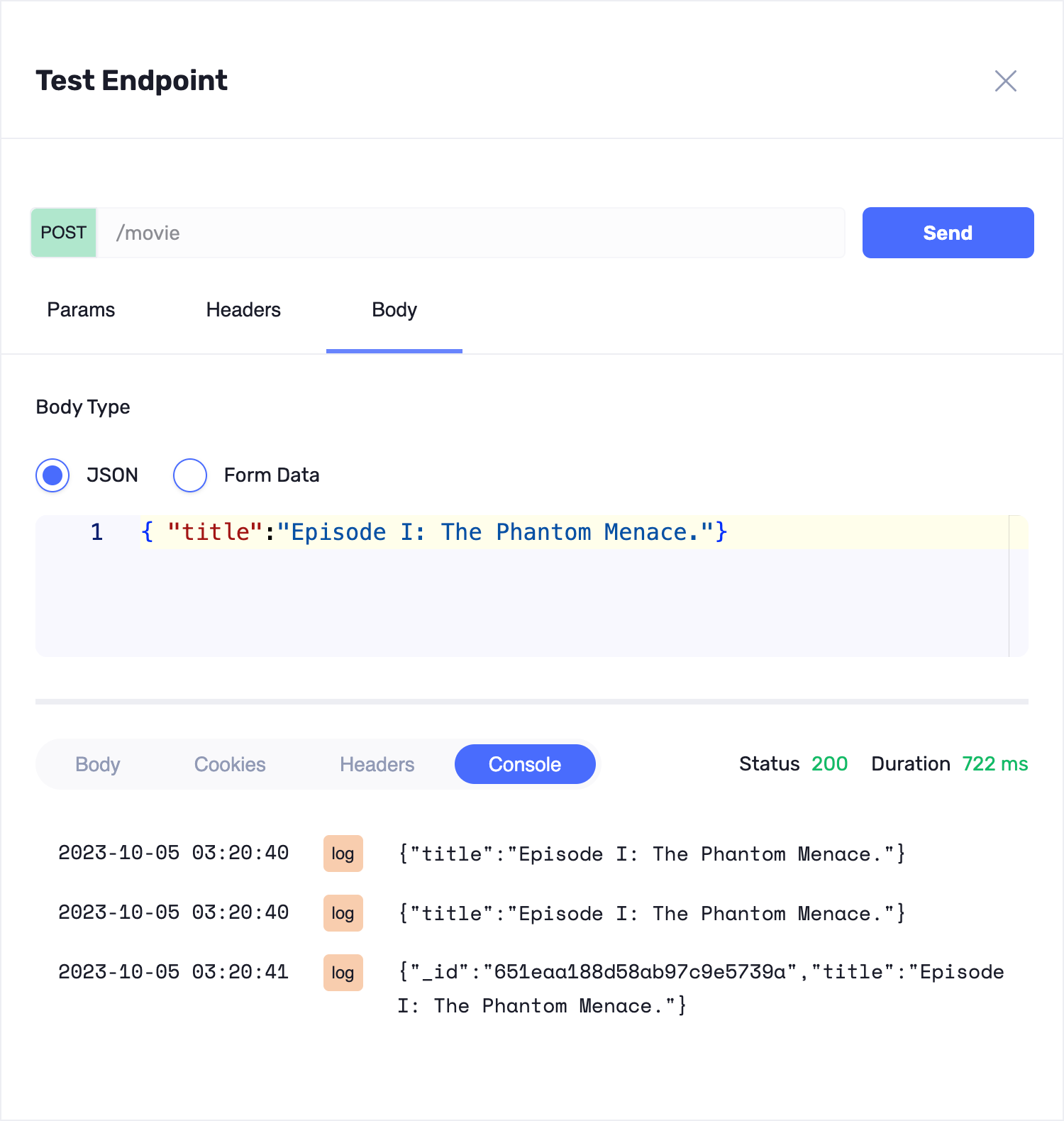
By clicking the Test button for a specific service, you can conveniently
test that specific functionality and view any console.log messages within the
same interface. This streamlined approach makes debugging more efficient and
allows you to diagnose issues promptly.
Combining console.log statements within your code with the integrated Tester
in Agnost, including the console output, provides a comprehensive debugging
solution for your backend services, helping you identify and resolve issues
effectively.